Balance
1.40USDC
Your robots spent 0.60 today
Robots
Today
- SamosaDuck is paying now0.25Pending
- CigarettesDuck, with your OK−0.50Paid
- CigarettesDuck, you said no
0.50Not paid - ChaiDuck at Duck Café−0.10Paid
1 · Wallet home (replaces / and /wallet)
The avatar opens a profile sheet with language, passkeys and sign out, so the header dropdown goes and all five catalogs stay. A row opens a receipt with the Arc transaction and the 0G decision. The Robots page is gone: robots live here as cards.
Works with today's API Small server change: "spent today" for each robot on /api/robotsBalance
1.40USDC
Your robots spent 0.60 today
Receive USDC
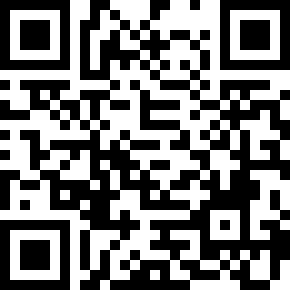
0x83B1 B415 D739 B161 6C30
557c C397 7623 8BA2 5F7B
Send only USDC on the Arc network. Your robots spend from this balance, never more than you allow.
2 · Receive
A bottom sheet with the address as a QR code and in four-character groups, so it can be read aloud and checked by eye. The duck in the middle is safe: the code is ECC M.
Frontend only Adds a small QR encoder to apps/web (uqr, about 10 KB)0.50USDC
You have 1.40. Use max
Arc only. A payment on Arc settles in about a second and can't be undone.
Send with passkey3 · Send
Amount, address, passkey. It uses the same mechanism as revoke: the passkey signs a one-time delegation (a USDC transfer, one call only) and the relayer submits it. The relayer can't change the payee or the amount.
New backend: a "send" owner action beside revoke, roughly 2 to 3 h with testsDuck
Online and buying a samosaLeft today
0.60 spent0.40of 1.00 USDC
- Up to 0.30 for one purchase
- Only at Duck Café
- Ends tomorrow at 15:30
Right now
Samosa, 0.25- Found it at Duck Café
An invoice for 0.25 USDC
- 0G decided to buy it
Owner asked for samosa; 0.25 fits the per-payment cap and today's budget.
- Duck's chip is signing the payment
The key never leaves the robot
- Paid on Arc
- Saved to 0G Storage
What Duck sees
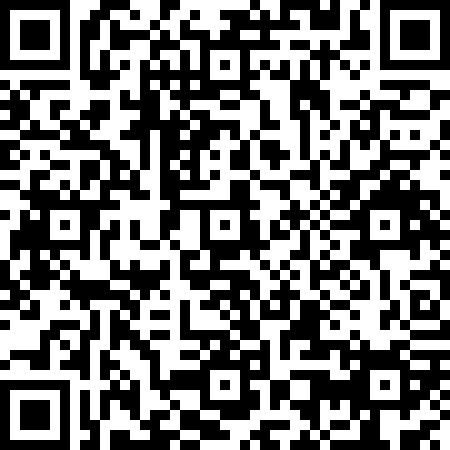
- Duck Café counter
- Samosa, 0.25 USDC
- Pay by 15:52
The camera stays on Duck. You see what it read, never the picture.
Send Duck to buy
After this errand- Robot details
- Stop Duck's allowance
4 · A robot (replaces /robot/:id)
Allowance first, in plain words. The errand is a five-step tracker with 0G's own reason quoted. "What Duck sees" is the invoice it is paying, drawn as a QR, not a camera frame. "Stop Duck's allowance" is revoke. "Robot details" holds the chip address, the payee address and the grant on Arc. The invoice paste field moves in there too.
Works with today's API (the errand and its timeline: /api/wallet/episodes/:id)Duck
Duck wants to buy cigarettes
0.50USDC at Duck Café
Cigarettes are a restricted item, and 0.50 is more than Duck's 0.30 limit for one purchase.
0G: "Restricted item the owner asked for; the owner approves it in World App."
This approves this one payment and nothing else. The request ends in 4:52.
5 · Approval (replaces /wallet/approvals/:id)
A sheet that opens over the robot, and the same sheet opens from a notification link. It says why in plain words, then quotes 0G. After World answers, the sheet follows the errand to "Paid" or "Declined, nothing paid".
Works with today's APIConnect your robot
6 · Add robot, step 1: connect
The code comes first and big, then the exact command to run on the robot. The screen polls every 3 s (it does already) and moves to step 2 on its own when the chip pairs.
Works with today's APIGive Duck an allowance
Duck can spend up to 1.00 USDC a day, at most 0.30 at a time, only at Duck Café, until tomorrow at 15:56. Anything else asks you first. Arc enforces this, so not even our server can go past it.
Confirm with passkey7 · Add robot, step 2: allowance
Presets replace the four text fields; "Other" opens a number field. The consent sentence stays, rewritten in plain words, and the passkey signs exactly that.
Works with today's API